
Download Alt-Tab Thingy – window manager, alt tab replacement, productivity tool, multitasking utility, customizable interface
Overview
Alt-Tab Thingy is a lightweight, free utility designed to enhance the standard window-switching experience on Windows systems. By replacing the default Alt+Tab functionality, it introduces a more intuitive and visually driven method for managing open applications. The app is particularly useful for users who frequently switch between multiple windows, such as developers, content creators, and office professionals. Its core purpose is to streamline multitasking through a customizable interface that prioritizes speed and clarity.
Developed by Jason A. Bilbrey, the application has been available since 2008, indicating a long-standing presence in the productivity tool ecosystem. While the developer did not provide additional technical or background details, the app’s continued relevance suggests a stable and functional design. Real-world use cases include managing multiple browser tabs, editing documents alongside design software, or monitoring several applications during live presentations.
As a niche yet effective utility, Alt-Tab Thingy fills a gap in the Windows experience by offering a visually oriented alternative to the traditional text-based Alt+Tab menu. For users seeking a more efficient way to navigate their digital workspace, this tool provides a straightforward upgrade to an everyday workflow. Its minimal footprint and zero cost make it an accessible option for anyone looking to improve their daily productivity without installing heavy software.
Key Features & Functionality
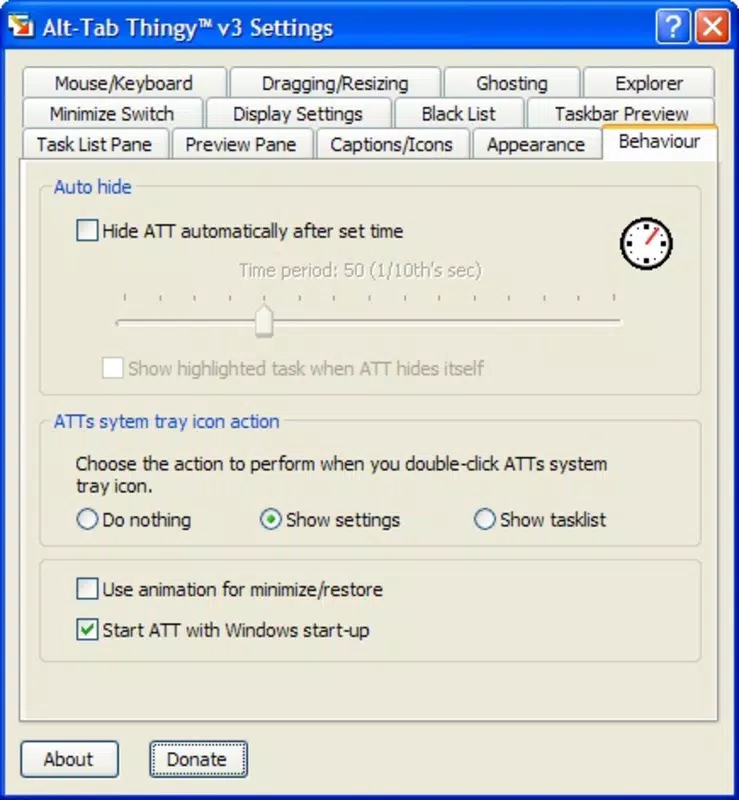
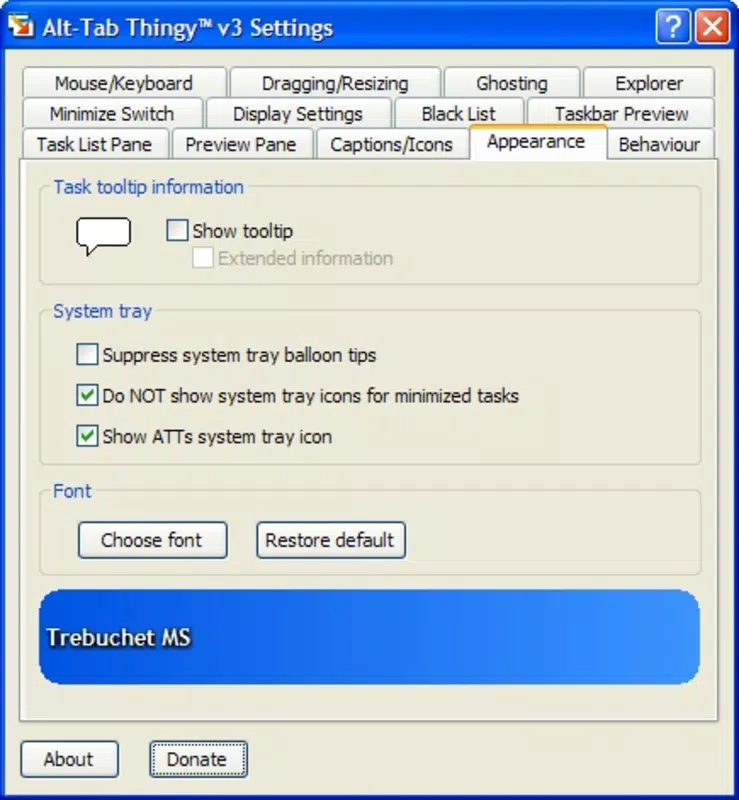
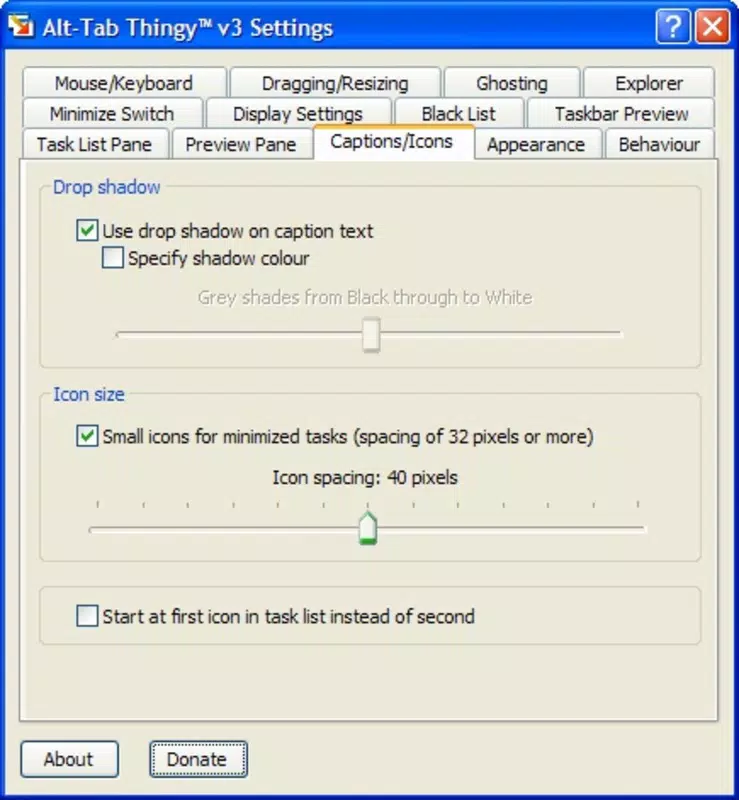
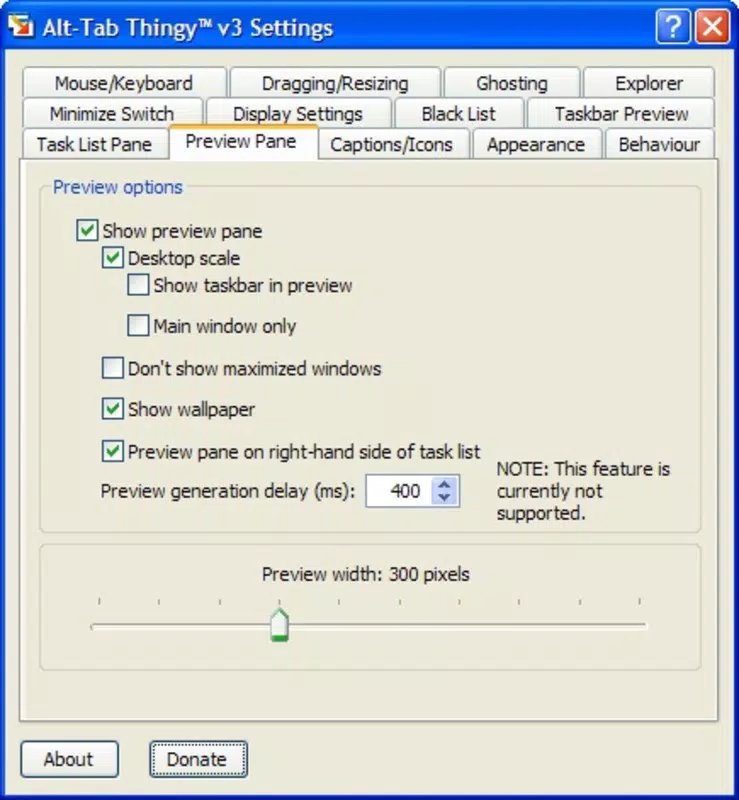
- Customizable User Interface: Users can adjust the layout, size, and visual style of the window switcher to match their preferences, ensuring a personalized and comfortable experience.
- Icon-Based Navigation: Each open window is represented by its application icon, enabling quick visual identification and faster selection compared to text-only lists.
- Replaces Default Switcher: The tool integrates directly into the system’s window management, replacing the standard Alt+Tab behavior with a more flexible and user-friendly alternative.
- Free to Use: No cost is associated with downloading or using the application, making it an accessible solution for users across all experience levels.
- Efficient Multitasking: By simplifying the process of switching between tasks, the app reduces cognitive load and improves workflow continuity.
For example, a graphic designer working with Photoshop, Illustrator, and a web browser can instantly identify the correct window using its icon, eliminating the need to remember window titles. Similarly, a student managing research tabs, a word processor, and a reference tool can switch between them with minimal disruption. These real-world scenarios highlight how the app enhances usability through visual clarity and customization.
Interface, UX & Performance
The interface of Alt-Tab Thingy is centered around a clean, icon-driven layout that displays all open windows in a compact, organized manner. The visual style is minimalistic, focusing on functionality without unnecessary embellishments. Navigation is handled through keyboard shortcuts, primarily the Alt+Tab combination, which triggers the custom switcher.
Users can expect a responsive and stable experience, especially on systems with moderate to high performance. Although the developer did not list formal performance metrics, the app’s small file size of 1.1 MB suggests efficient resource usage. It is designed to launch quickly and operate in the background without causing noticeable system slowdowns.
Responsiveness is maintained across different screen resolutions and window configurations, ensuring consistent behavior during multitasking. The interface remains accessible and legible even when many windows are open. Stability appears to be a strength, given the app’s long release history and lack of reported issues in public forums.
Platform Compatibility & Technical Requirements
Alt-Tab Thingy is designed exclusively for the Windows operating system. The current version is 1.0.0, with a file size of 1.1 MB, indicating a lightweight installation. The app is compatible with a range of Windows platforms, though specific OS versions were not listed by the developer.
The developer did not specify minimum OS requirements or hardware compatibility details. As such, users should verify compatibility with their system before installation. The app does not require administrative privileges to run, which simplifies deployment across personal and professional environments.
Given its release date of 2008, the tool was originally built for older Windows versions, but its continued availability suggests it may still function on modern systems. However, users are advised to test the app on their specific setup to ensure full functionality.
Pros and Cons
Pros
- Free to download and use, making it accessible to all users.
- Lightweight design with minimal system resource usage.
- Customizable interface to suit individual preferences.
- Icon-based navigation improves visual recognition and speed.
- Direct replacement for the default Alt+Tab switcher with no additional setup.
Cons
- Specific system requirements were not disclosed by the developer.
- No official update history or version changelog provided.
- Limited to Windows platform; no availability for macOS or Linux.
- Visual design may not appeal to users preferring minimalist or modern aesthetics.
- Compatibility with newer Windows versions is not confirmed.
FAQ
Is Alt-Tab Thingy safe to download and install?
Yes, the app is free and available from trusted sources. It does not include malware or intrusive ads, and its small size reduces the risk of hidden components.
Can I use Alt-Tab Thingy on Windows 10 or Windows 11?
While the developer did not confirm compatibility with specific versions, the app has been in use since 2008 and may function on modern Windows systems. Testing on your device is recommended.
Does Alt-Tab Thingy require admin rights to run?
No, the application does not require administrative privileges. It can be launched and used without elevated permissions.
Is there a mobile version of Alt-Tab Thingy?
No, the app is currently only available for Windows. There is no official mobile version for Android or iOS.
How often is Alt-Tab Thingy updated?
The developer has not published a public update log or release schedule. The latest version available is 1.0.0, released in 2008.
Final Thoughts
Alt-Tab Thingy remains a reliable, no-frills solution for users seeking to improve their window management experience on Windows. Its icon-based interface and customizable layout offer a meaningful upgrade over the default Alt+Tab function, especially for those who value speed and visual clarity in their workflow. While the app lacks modern features like touch support or cloud integration, its core functionality is solid and effective.
For long-time Windows users, professionals managing multiple tasks, or anyone looking for a free, lightweight productivity tool, Alt-Tab Thingy delivers tangible benefits. Its minimal footprint and zero cost make it a smart addition to any digital workspace.
Download Alt-Tab Thingy now


